I tested this inside a private bug-bounty program using my own account. The company name, endpoints, email address, and other identifying details are hidden.
01 / WHAT I FOUND
A wrong OTP could still move the reset forward.
I was testing the platform’s forgot-password flow. I entered a wrong OTP, then a correct OTP, and compared both responses in Burp Suite.
The only important difference was the response body. That made me wonder: what if I sent a wrong OTP but made the browser see the successful response?
02 / WRONG OTP
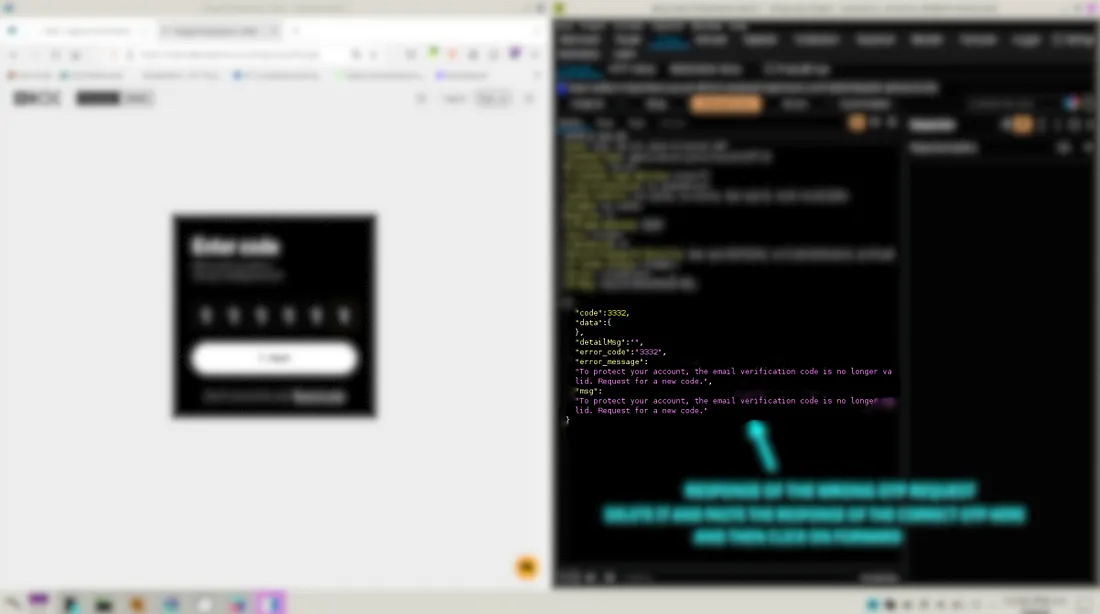
First, I captured the error response.
I entered a random OTP. The server rejected it and returned error code 3332.
{
  "code": 3332,
  "error_code": "3332",
  "error_message":
    "The email verification code is no longer valid."
}
03 / CORRECT OTP
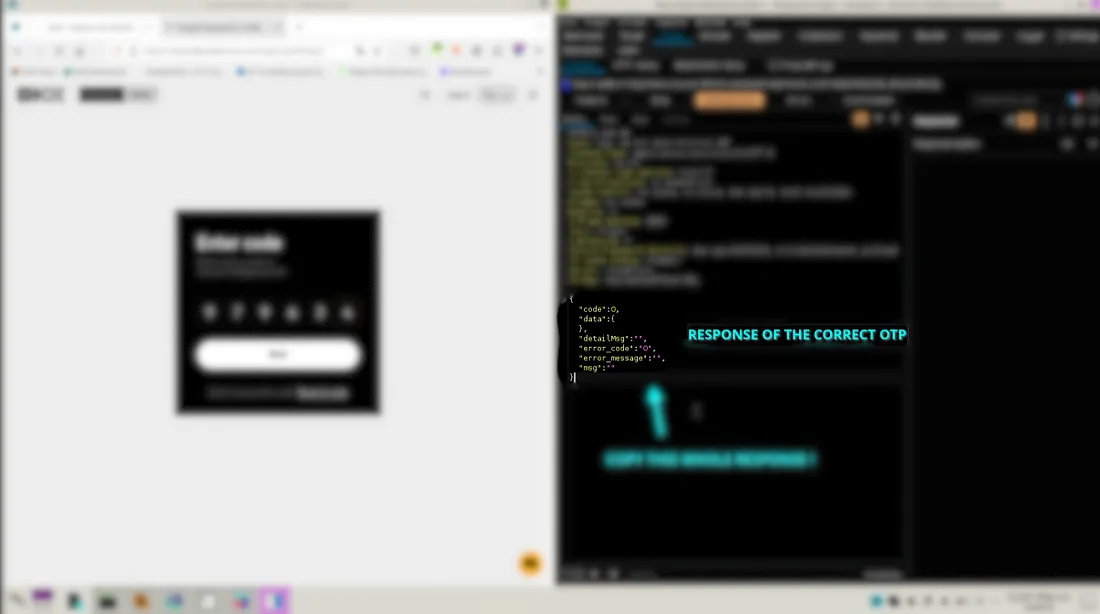
Then, I saved the success response.
I requested a fresh code and entered the correct OTP. This time the response contained success code 0 and no error message.
{
  "code": 0,
  "data": {},
  "error_code": "0",
  "error_message": "",
  "msg": ""
}
04 / THE CHANGE
I replaced only the response.
I started the reset again and entered another wrong OTP. Before the response reached the browser, I replaced the error JSON with the success JSON captured above.
1. INTERCEPT THE WRONG-OTP RESPONSE2. DELETE THE ERROR JSON3. PASTE THE SUCCESS JSON4. FORWARD THE RESPONSE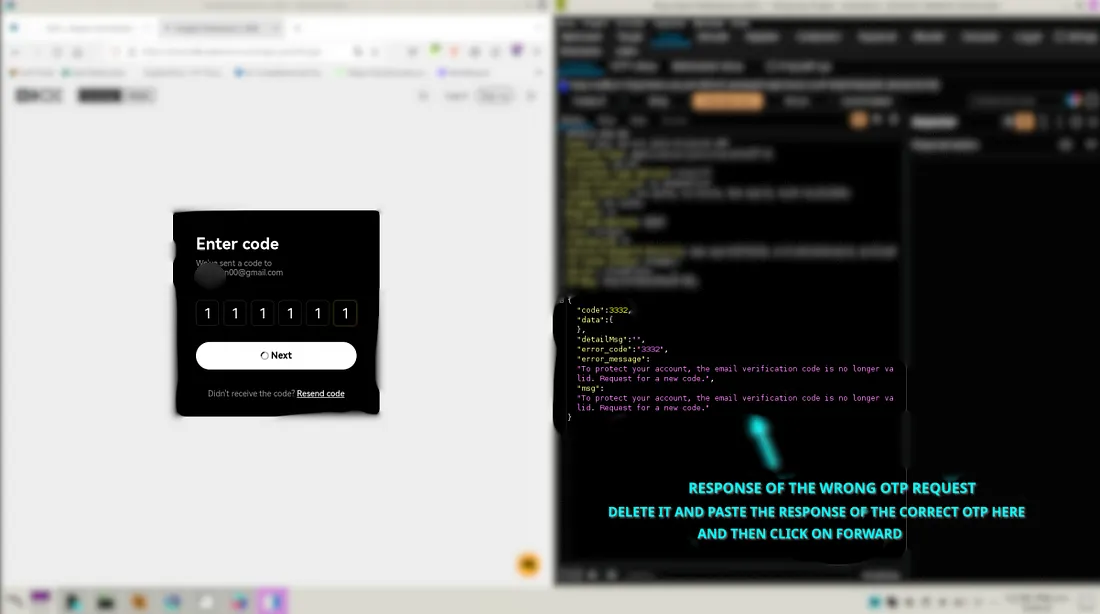
05 / RESULT
The password-reset page opened.
The application accepted the changed response and moved me to the new-password screen. The OTP itself was still wrong.
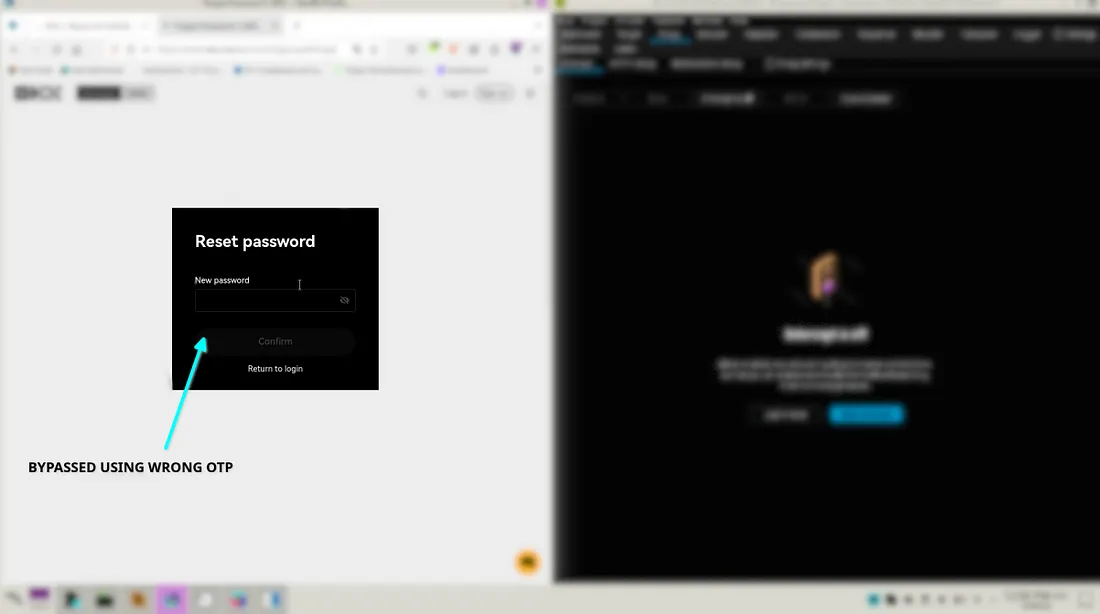
The browser was deciding whether OTP verification succeeded. That decision should have stayed on the server.
06 / THE FIX
Never trust the browser for verification.
- Validate the OTP on the server.
- Create a short-lived reset token only after a valid OTP.
- Check that token again when the password is changed.
- Make every OTP and reset token single-use and rate-limited.